

How Texture Streaming Works in Modern Games
Have you ever wondered how modern games can be so detailed while still running smoothly on your computer?
Texture streaming loads only the visible textures, keeping graphics and performance fluid.
NVIDIA Profile Inspector, for example, enables you to adjust how your GPU handles textures to optimize performance or appearance.
Texture streaming enables games to run smoothly while maintaining high visual quality. In this post, we will investigate how it works and how it can be repaired.
What is Texture Streaming?
Texture streaming is a video game method that loads graphics (also known as textures) as needed. Instead of loading all textures at once, the game loads high-quality images for visible elements while removing those that are not.
This enables the game to function smoothly, even across large, open worlds, without consuming excessive RAM or generating lag. It also reduces loading times and allows developers to create more complex settings.
Why Use Texture Streaming in Games?
Texture streaming in games provides several benefits for both players and developers. Here's what makes it so effective:
- Improved Performance: The game only loads graphics that are visible on the screen, resulting in a more consistent frame rate and less lag while playing.
- Quicker Load Times: Because it does not load every texture at once, levels and sceneries load faster, allowing you to get right into the action.
- Memory Saver: It saves GPU and system memory by unloading textures that aren't currently needed, preventing crashes and slowdowns.
- Supports Large Worlds: Games with large open maps or detailed environments can run without overburdening the system, making exploration effortless.
- Improved Visual Quality: High-resolution textures appear where they are needed most, providing clear, realistic images without slowing down the game.
Texture streaming enables games to look amazing while maintaining speed, smoothness, and ease of play.
How to Fix Texture Streaming Problems?
Texture streaming difficulties can cause your game to appear blurry, delay texture loading, or stutter. Here's how to fix them.
1] Check GPU Memory:
- Ensure your graphics card has sufficient VRAM to handle high-resolution textures smoothly. If your card's RAM is low, the game may struggle to load detailed images.
2] Lower the Texture Settings in-game:
- Reducing texture quality decreases the GPU workload and eliminates stuttering or slow-loading textures, while maintaining the game's visual appeal.
3) Update the Graphics Driver:
- Graphics card drivers are continually updated to fix bugs and improve performance, so staying current can help resolve a variety of texture-related issues.
4] Increase the Virtual Memory or Page File:
- This enables your system to handle larger textures even when your VRAM is full, minimizing texture pop-in and lag.
5] Verify or Repair Game Files:
- Textures may not load properly owing to missing or corrupted files; however, using the game's repair tool can resolve this issue.
6] Disable All Unnecessary Background Programs:
- Freeing up CPU and RAM may provide your game with additional resources, allowing textures to load faster and more smoothly.
7] Use Mods and Optimization Tools With Caution:
- Some games provide updates or patches to improve texture loading but ensure they are stable and secure to avoid further issues.
Following these instructions will allow you to resolve texture streaming difficulties and enjoy a smoother, clearer gaming experience without irritation.
Final Words
Texture streaming enables modern games to appear detailed while maintaining smooth operation. Games may avoid slowdowns and keep everything running smoothly by loading only the textures needed at the moment.
When it works well, the game runs more smoothly, the environments look more realistic, and you have a more enjoyable gaming experience.
About the Author:
I'm River Jensen, a tech enthusiast working on NVIDIA Profile Inspector, a project dedicated to enhancing digital experiences through advanced GPU settings and performance optimization.
I'm passionate about combining creativity and technical knowledge to create graphics profiles that improve performance, improve visuals, and maximize the capabilities of NVIDIA technology.
Reference: [János TuráNszki]. (2024, April 27). Texture streaming [Video]. Youtube.
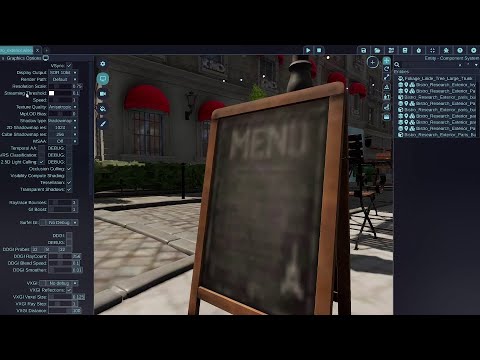
Texture streaming
Texture streaming can reduce loading time and memory usage by loading textures partially when appropriate. All textures will load only low resolution mip lev...
You may be interested in these jobs
-
Join us as a JavaScript Senior Software Engineer as we redefine the future of streaming video technology. Together we will shape our culture, solve technical problems, and create extraordinary streaming experiences that captivate audiences worldwide. · ...
New York, NY2 weeks ago
-
Come join Crystal Dynamics as a Character Art Intern! This is an amazing opportunity to contribute directly to active AAA projects while learning from experienced mentors and collaborating with talented teams. · ...
San Carlos, CA1 month ago
-
Twitch is the world's biggest live streaming service. · Work with product managers, technical leads, and other engineers to design, develop, launch ,and operate interactive experiences and products · ...
San Francisco, CA3 weeks ago
Comments